Your Mac, like new again.
A Mac cleanup app for finding large files, removing duplicates and uninstalling apps, with a private AI assistant that explains before it cleans.
- Free up gigabytes of space
- Remove apps and every file they leave behind
- Ask a private AI what’s safe to delete
Coming soon. Downloads and license sales open at launch.
- 30-day money-back guarantee
- Runs on your Mac, no account
- macOS 14+, Apple silicon & Intel
One Mac cleaner. A clearer view of your storage.
Boss Cleanup replaces a drawer full of cleanup tools. Find what’s eating your disk, remove apps without a trace, spot unusual background items and keep your Mac running smoothly, all from one beautifully simple app.
Fine-tune your whole Mac in one click
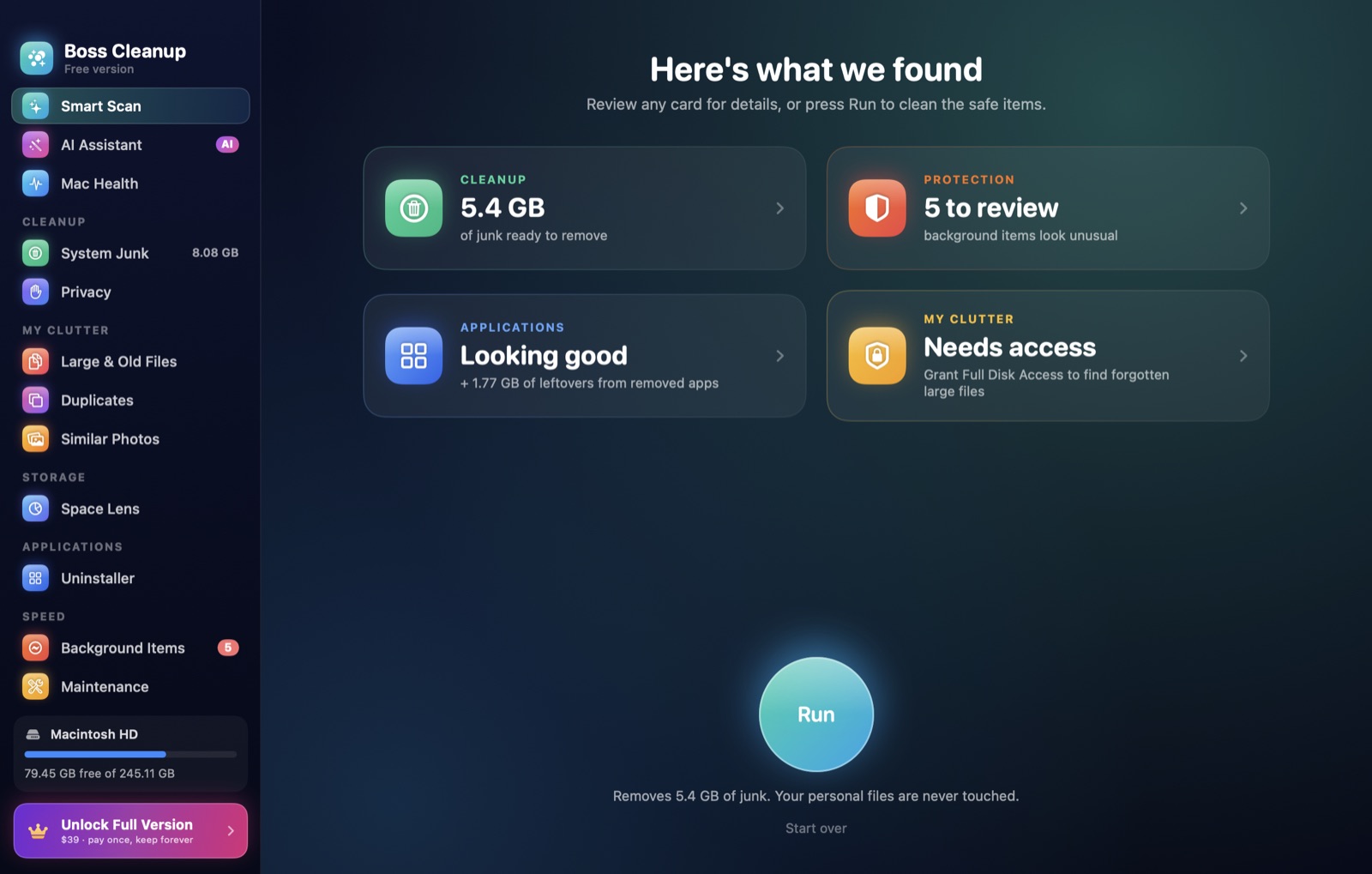
Smart Scan runs every check at once and shows what it found in five clear cards. Review any card, or press Run to clean only the safe items.
Cleanup
Caches, logs and leftovers your Mac rebuilds on its own.
Protection
Unusual background items and browser traces.
Applications
Unused apps and files left by deleted ones.
My Clutter
Large, old and duplicate files you forgot.
Speed
Memory hogs, login items and maintenance.
Clean up gigabytes in seconds
Boss Cleanup finds the junk macOS and your apps leave in every corner: caches, logs, developer leftovers, broken downloads and trash. It explains each item and only selects what’s safe.
- System and user caches, logs and temporary files
- Xcode, simulators and developer tool caches
- Running apps’ caches are left alone
See exactly where your space went
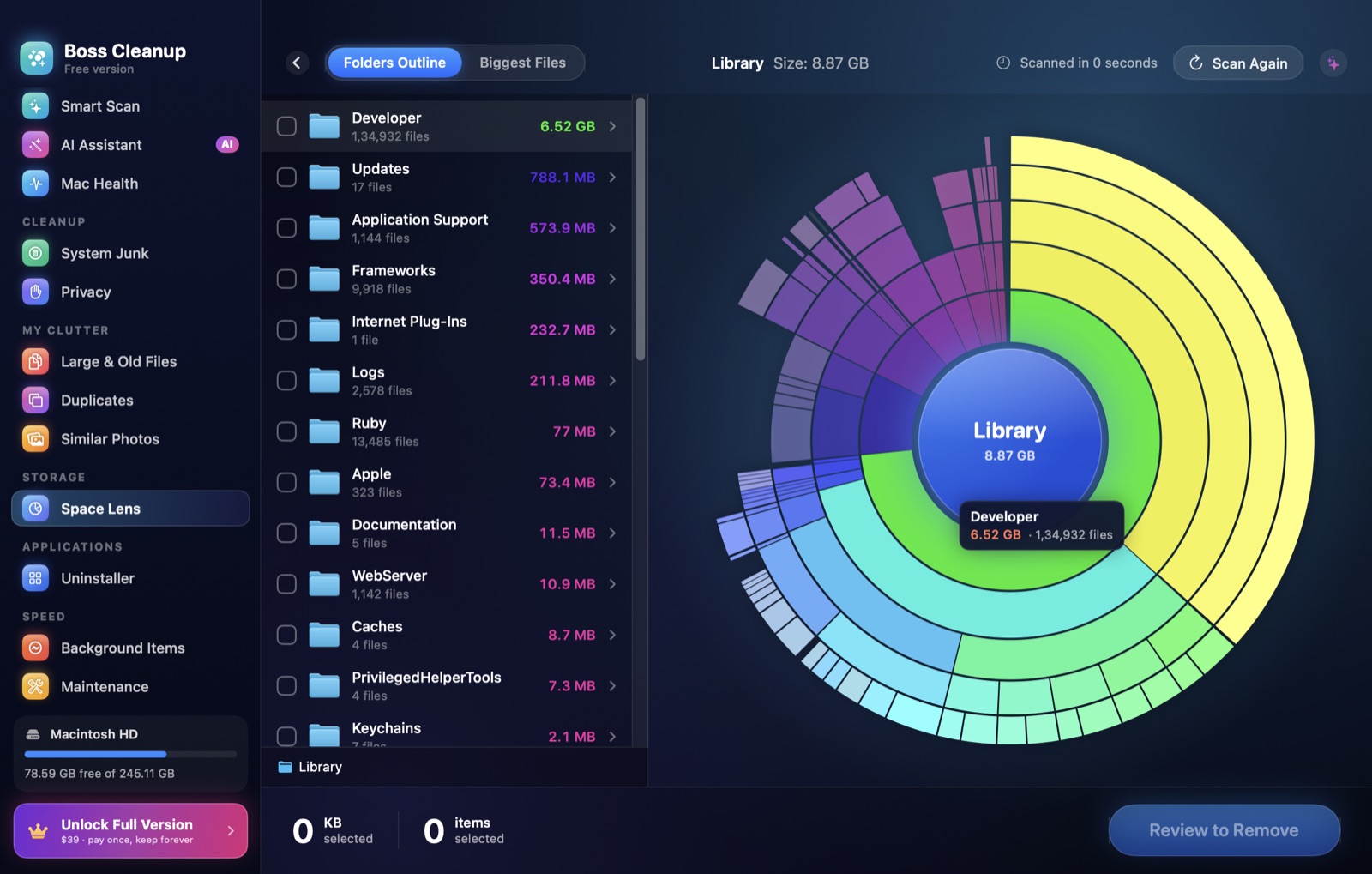
An interactive sunburst map of any folder or drive. Hover to see sizes, click to dive in, and select what to remove right on the map. Big scans are remembered, so the map opens instantly next time.
- Maps your whole disk or any folder
- Folder list sorted by size, with file counts
- Review everything before it goes to the Trash
Find the files you forgot about
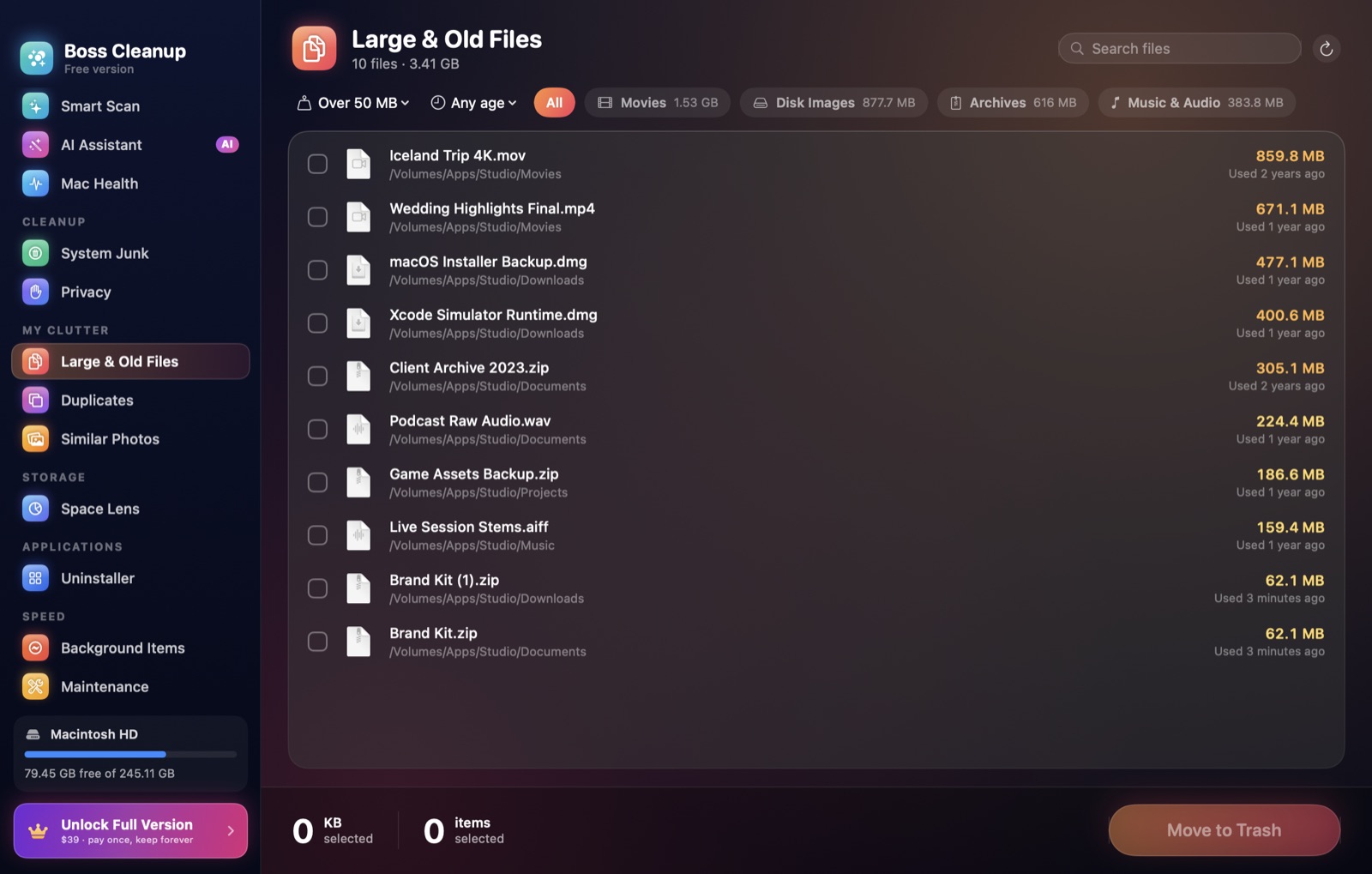
Large & Old Files surfaces forgotten videos, disk images and archives. Duplicates finds byte-for-byte copies and keeps the best one, and Similar Photos groups near-identical shots.
- Filter by size, age and kind
- Duplicates verified byte for byte
- Similar photos found with Apple’s Vision engine
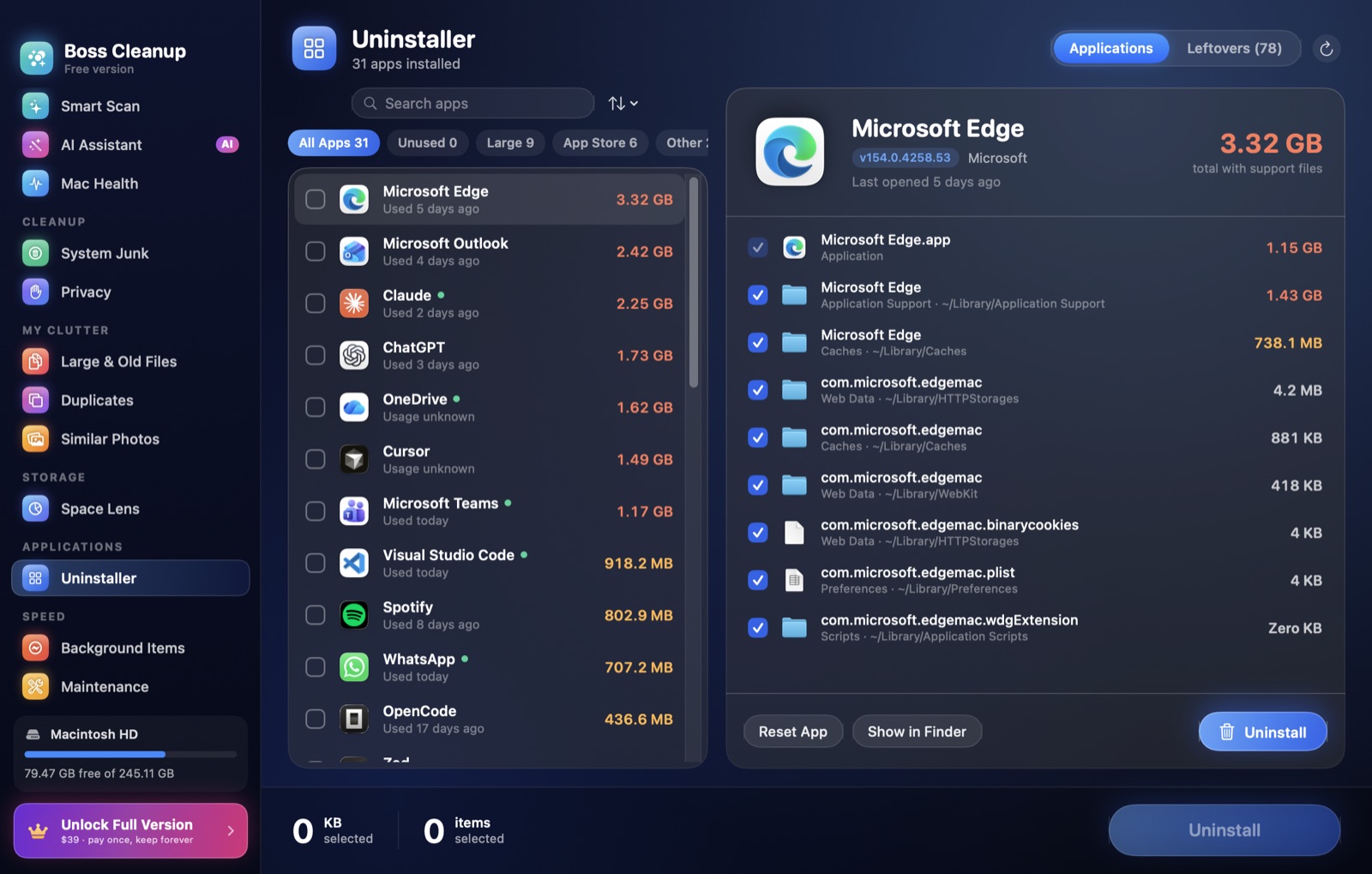
Remove apps completely
Dragging an app to the Trash leaves its caches, settings and support files behind. Boss Cleanup removes all of it, resets misbehaving apps, and finds leftovers from apps you already deleted.
- Every support file, cache and preference
- Reset an app to a fresh state
- Leftovers from apps you removed earlier
Keep your Mac fast and healthy
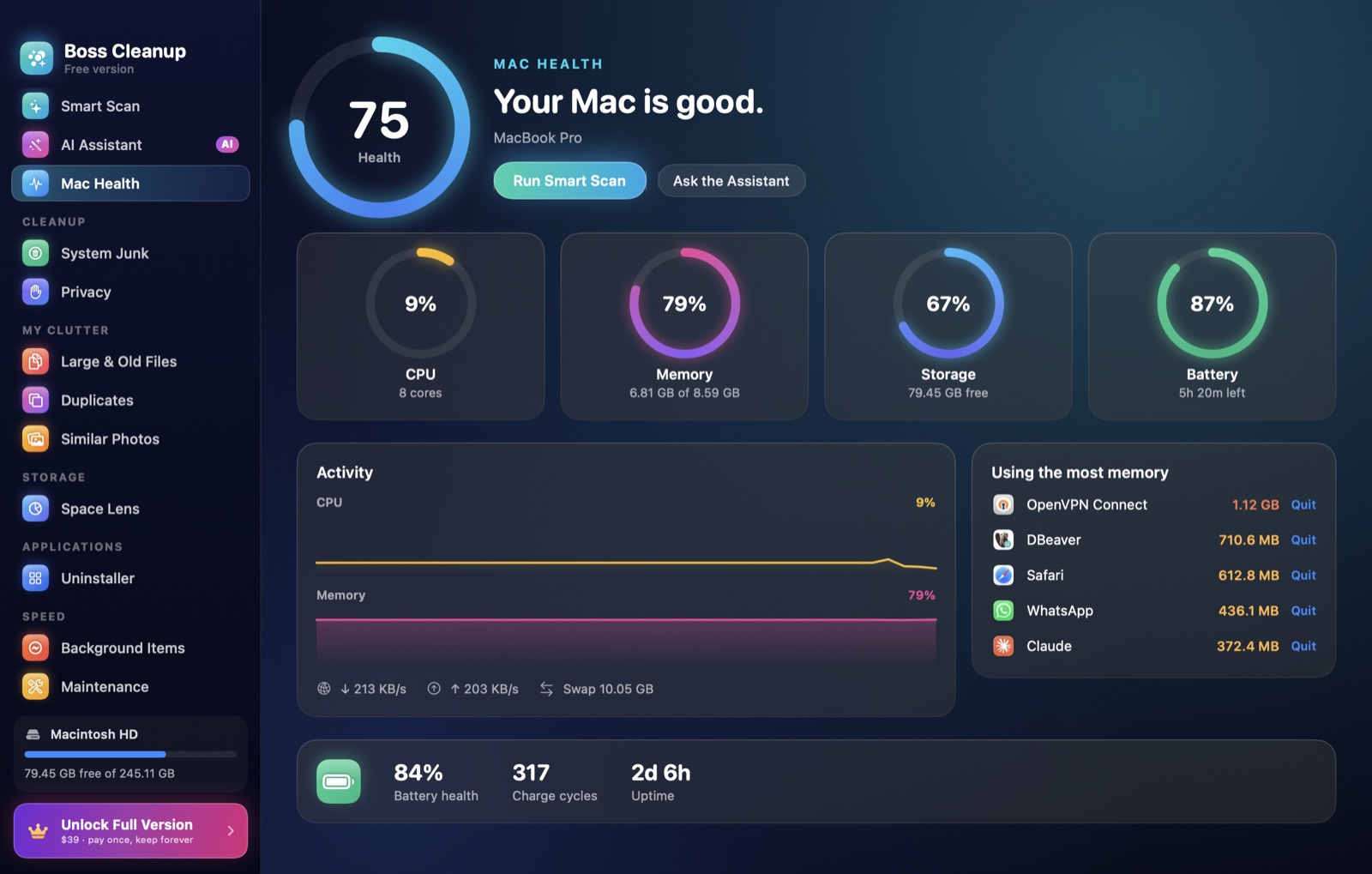
Mac Health shows CPU, memory, storage and battery at a glance, with the apps using the most memory. Review login and background items, and run maintenance tasks like flushing DNS and reindexing Spotlight.
- Live CPU, memory, storage and battery
- Background and login items, with unusual ones flagged
- Maintenance tasks that used to need the Terminal
An assistant that explains before it cleans
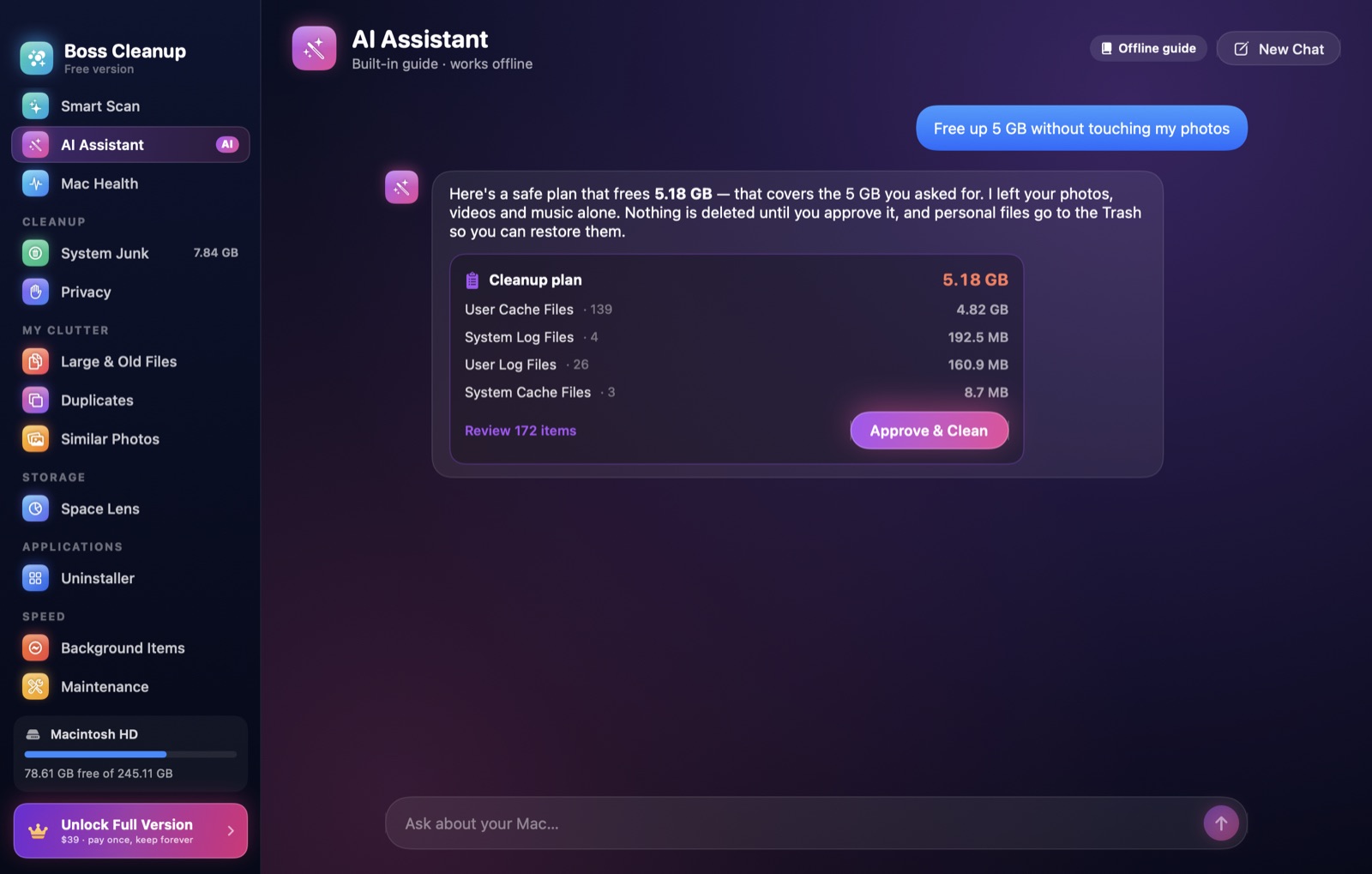
Ask what’s taking up space, whether a folder is safe to delete, or to free 5 GB without touching your photos. It looks at your real files and proposes a plan. Nothing is removed until you approve it.
- Runs on your Mac with Apple Intelligence
- Built-in guide works offline on every Mac
- Your files and questions never leave your Mac
Your files stay yours.
A cleaner should never make you nervous. Boss Cleanup is built to be careful first.
Trash first, undo anytime
Personal files go to the Trash and the last cleanup can be undone in one click.
System folders protected
A built-in safety guard refuses to touch anything macOS needs to run.
You review everything
Every scan explains what it found. Nothing is removed until you confirm.
Stays on your Mac
No account, no ads, no analytics. Scans and AI run on your Mac.
Pay once. Keep it forever.
No subscription and no account. Start free, and unlock unlimited cleaning when you’re ready.
Try everything on your own Mac before you pay.
- Smart Scan and every scanner
- Space Lens, Mac Health and the AI assistant
- Clean up to 500 MB
Unlimited cleaning and every tool, for as long as you use your Mac.
- Unlimited cleaning, uninstalling and maintenance
- All 1.x updates included
- One Mac per license, up to five per order
- 30-day money-back guarantee
Questions, answered.
How do I choose the best Mac cleanup app for my needs?
Start with the job you need to do: recover disk space, find duplicate files, understand large folders or remove unused apps. Look for clear scan results, control over what is deleted and a way to recover personal files. Boss Cleanup brings a disk space analyzer, duplicate finder and app uninstaller into one workspace, with review before cleanup. Explore the cleanup tools to see whether they fit your needs.
Can a Mac cleaner free up disk space?
A Mac cleaner can help you find removable caches, logs, large files and duplicates. The amount you recover depends on what is stored on your Mac, and caches can grow again as you use apps. Review the results before deleting anything; freeing space does not guarantee a faster Mac.
Is Boss Cleanup available to download?
Boss Cleanup is in final testing. Downloads and license sales open at launch. Check the download page for availability and Mac requirements.
Is this a subscription?
No. Boss Cleanup is a one-time purchase. You pay once and keep the version you bought forever, with all 1.x updates included.
What does the free version do?
Everything except unlimited cleaning: scan your whole Mac, explore Space Lens, check Mac Health, ask the assistant, and clean up to 500 MB for free.
How many Macs can I use it on?
Each license works on one Mac at a time. Buy for up to five Macs in one checkout, and move a license to a new Mac anytime from Settings → License.
Is it safe?
System folders are always protected, personal files go to the Trash so you can restore them, and nothing is removed until you review and confirm it.
Who processes my payment?
Our online reseller Paddle.com is the merchant of record. Paddle handles checkout, sales tax and VAT, invoices and refunds.
Can I get a refund?
Yes, within 30 days of purchase, no questions asked. See the refund policy.
Which Macs are supported?
Any Mac with macOS 14 Sonoma or later, Apple silicon or Intel. The AI assistant uses Apple Intelligence when it’s on, and a built-in guide otherwise.
Is there a Mac App Store version?
Yes, coming soon. It runs in Apple’s sandbox, so some deep-cleaning and maintenance tools are only in the version sold here.
Give your Mac a fresh start.
30-day money-back guarantee · macOS 14 or later · Apple silicon and Intel
*Results from scanning a MacBook Air in everyday use and a sample folder. Your results will vary.